The surgeon's operative logbook
The free logbook, from the OR to the ward: timer, scanned patient label, self-assessment, annotated photos, and your operated patients followed until discharge. Resident or attending, each keeps their own.
Overview and getting started
A tour of the app in a few minutes: logging a case, learning from it, following your patients, sharing. The video is in French.
Video hosted on YouTube: when you play it, you connect to YouTube (Google), which may set cookies.
Watch on YouTubeFrom incision to discharge
The app's screens on iPhone, as they are today.
Log an operation
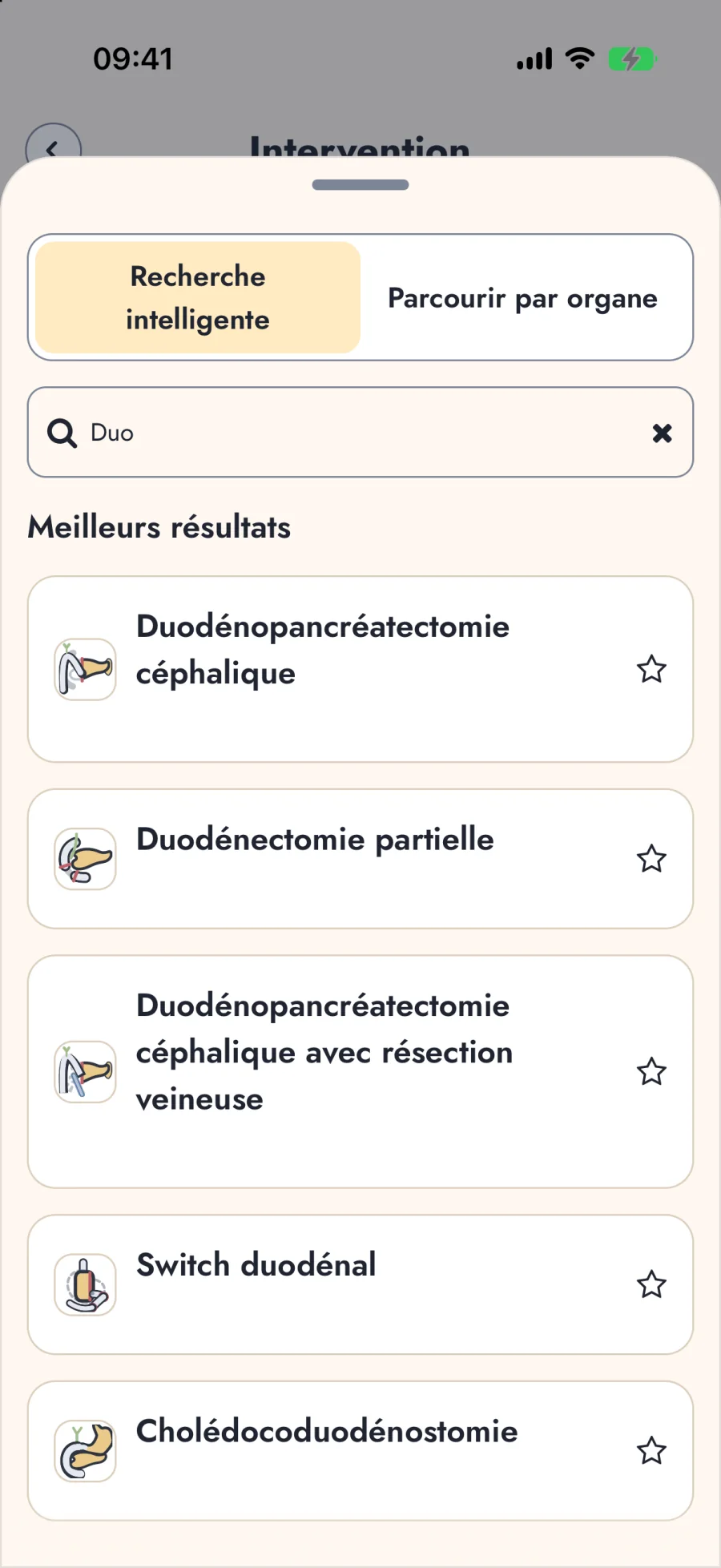
Pick the procedure from your specialty's catalog or type it in yourself, then fill in the form: operative role, indication, ASA, BMI, blood loss, skin-to-skin time.
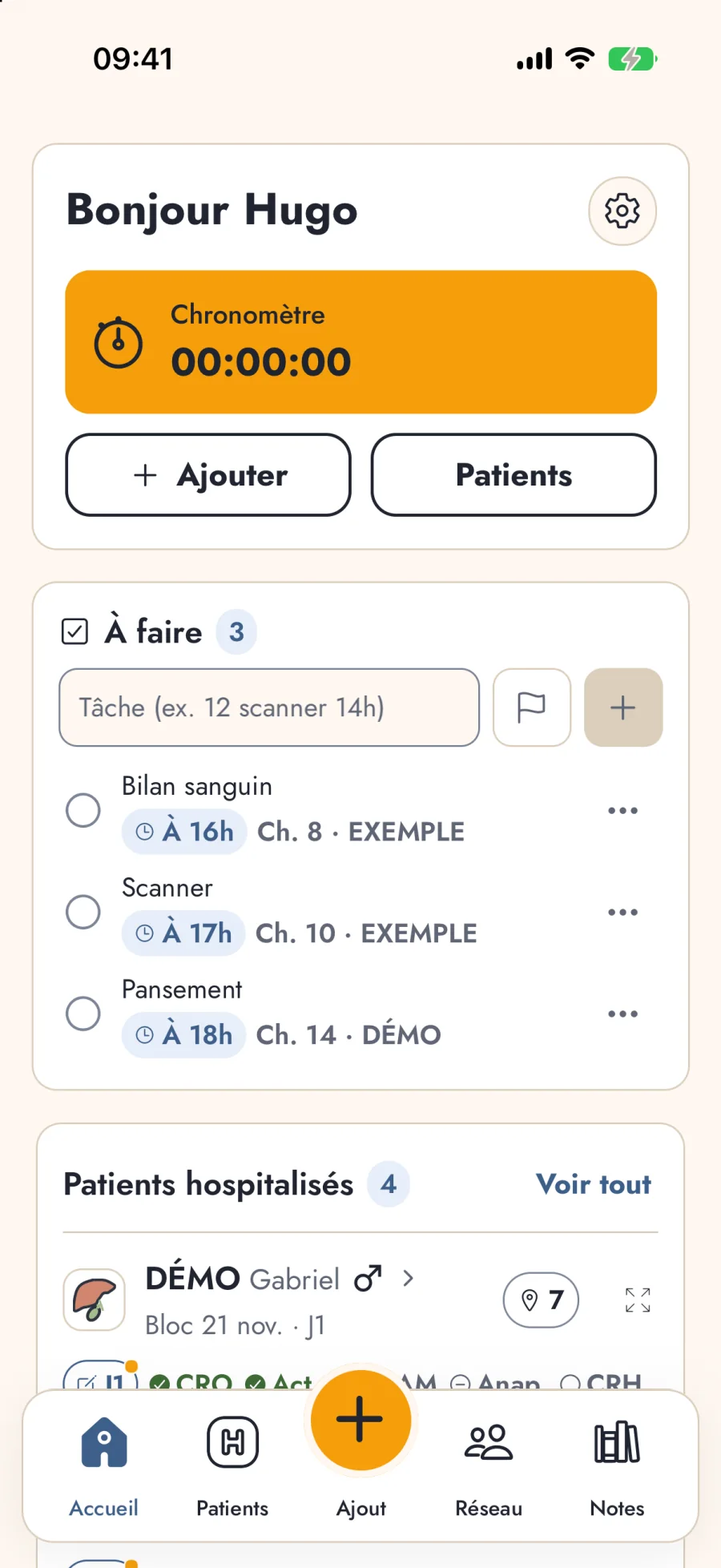
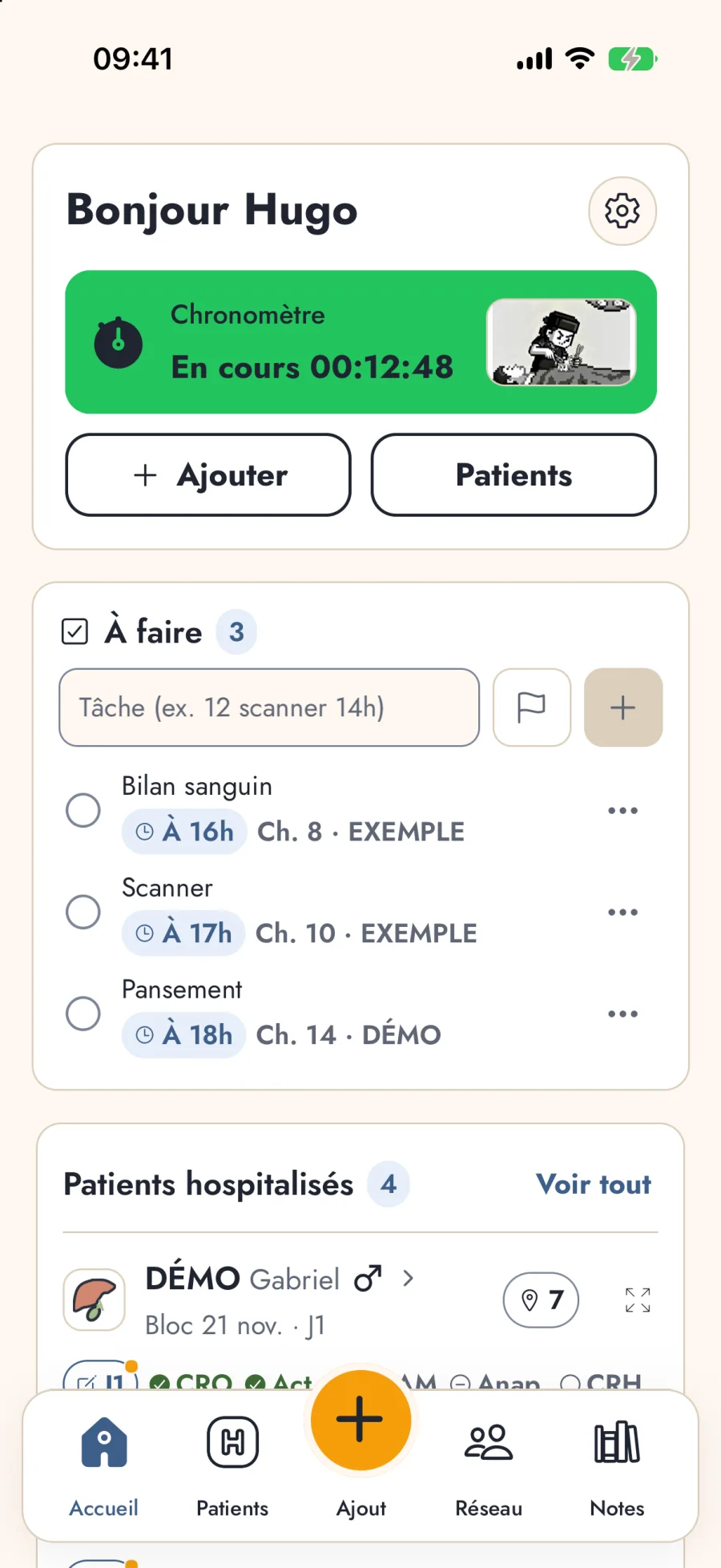
- Timer: one tap before the incision, one tap to save
- Scanned patient label: last name, first name, date of birth and patient ID
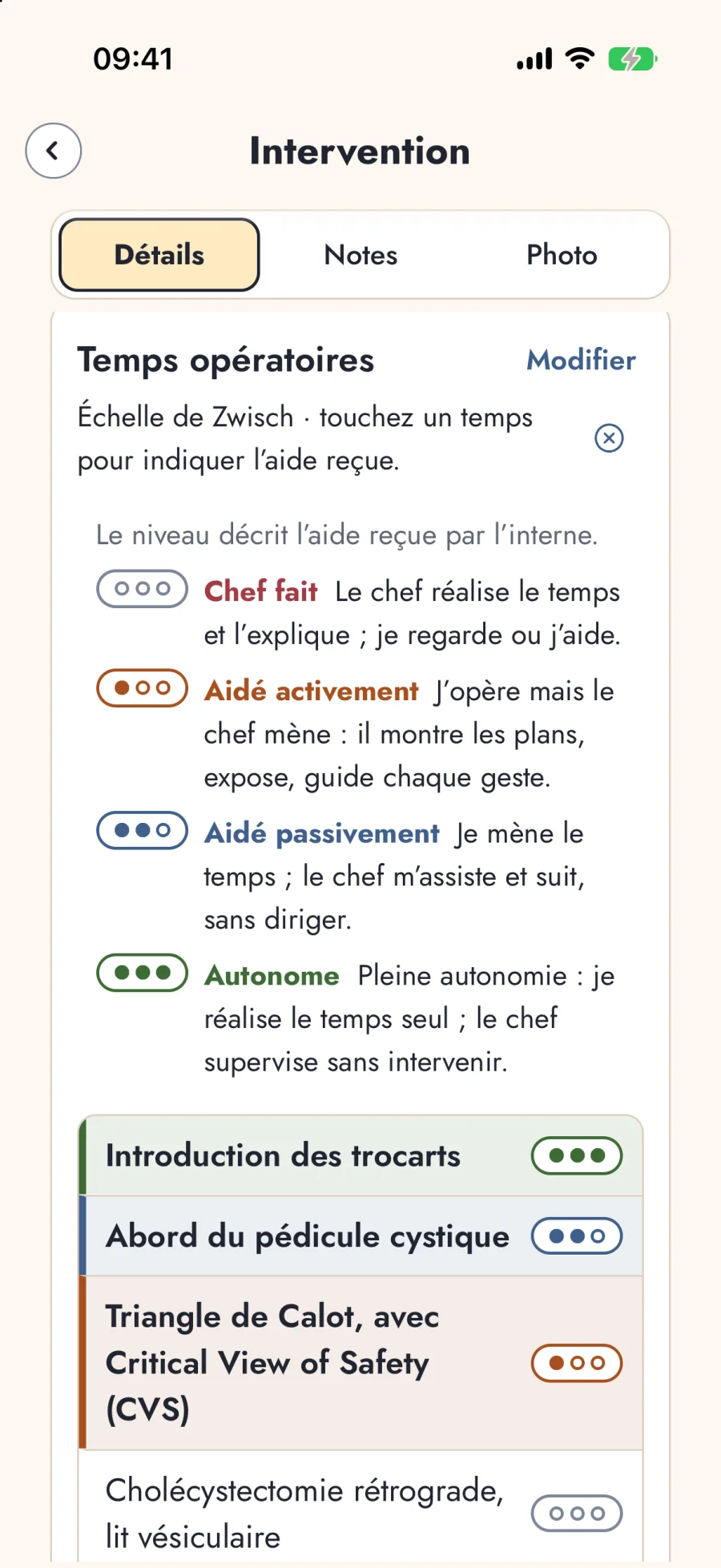
- In general and digestive surgery, operative steps rated from "Chief operates" to "Autonomous" (Zwisch scale)
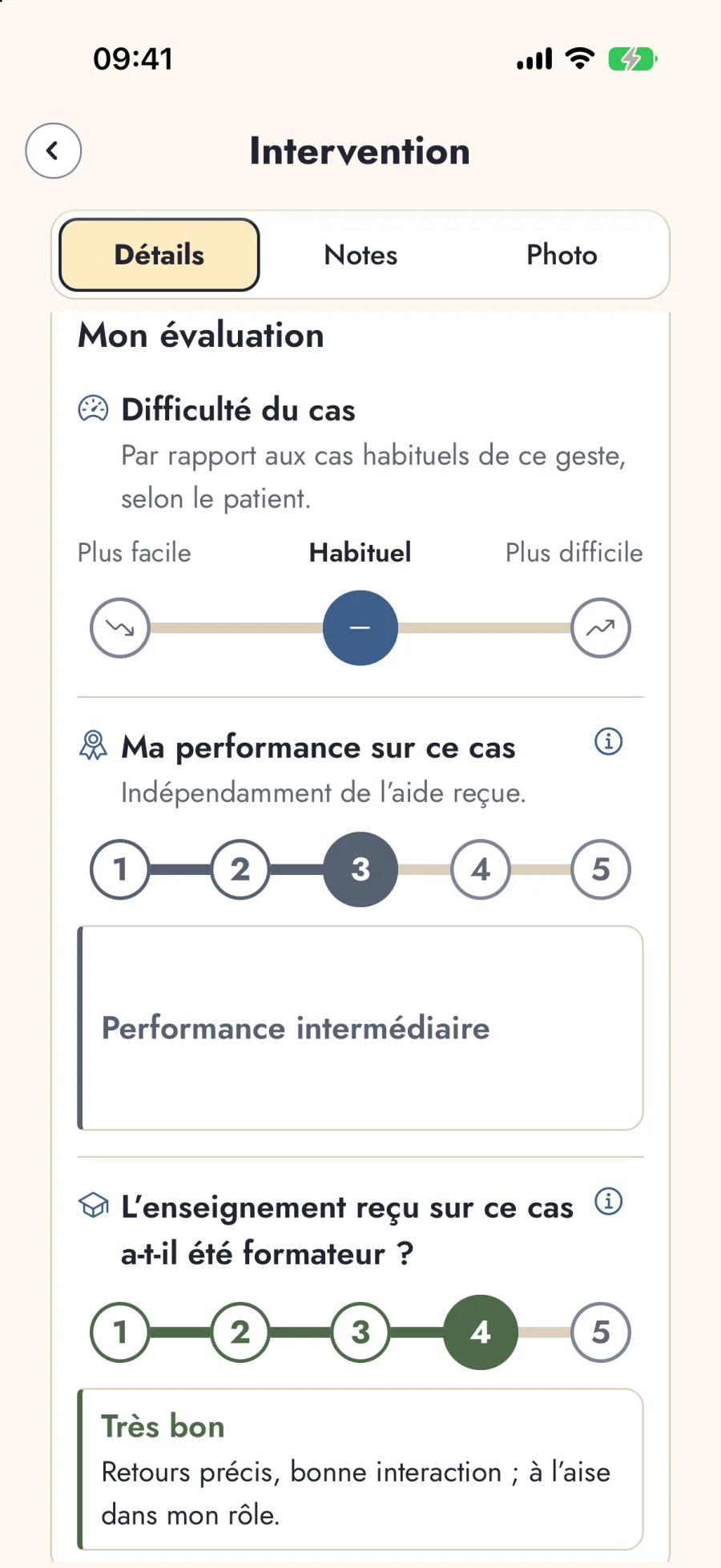
- Self-assessment: difficulty compared with usual cases of the same type, performance, teaching received
Annotated photos
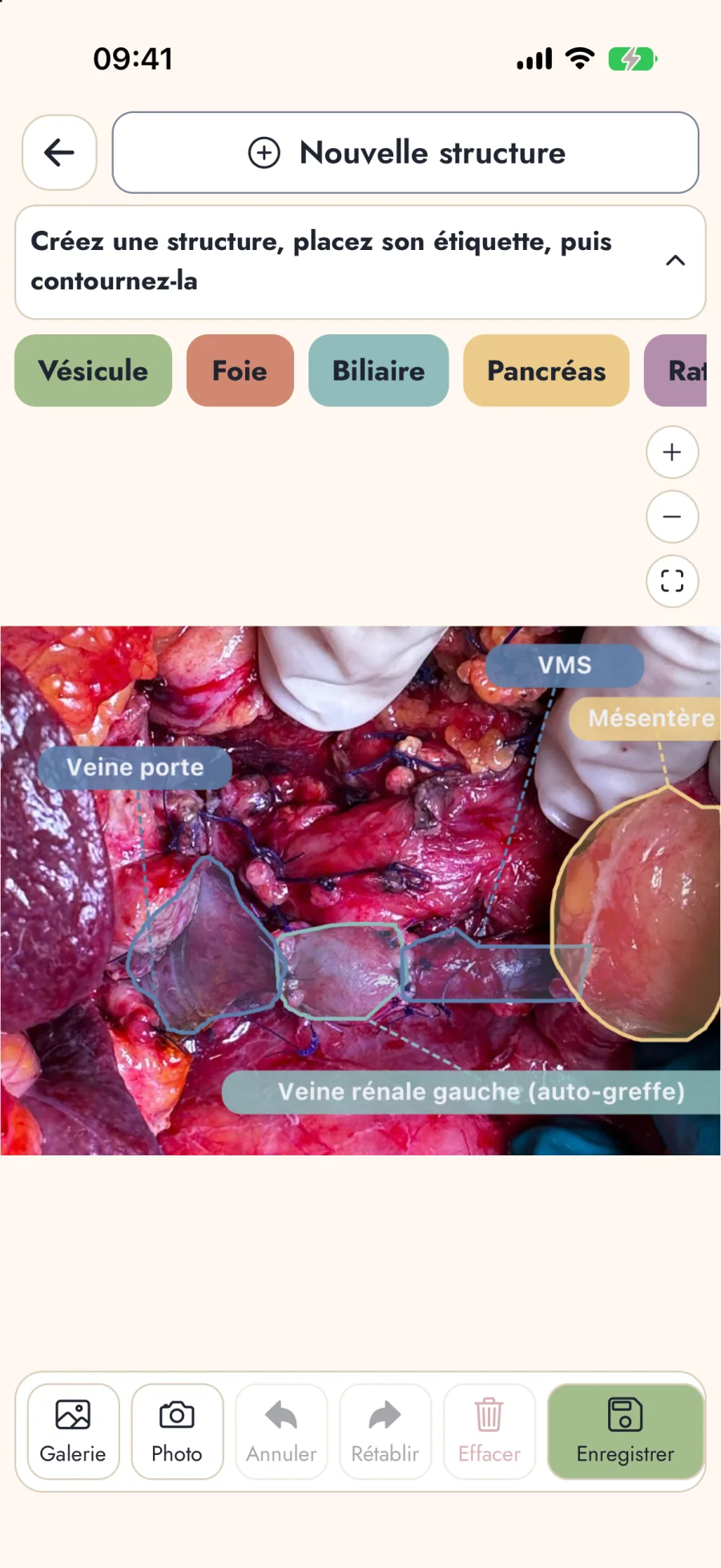
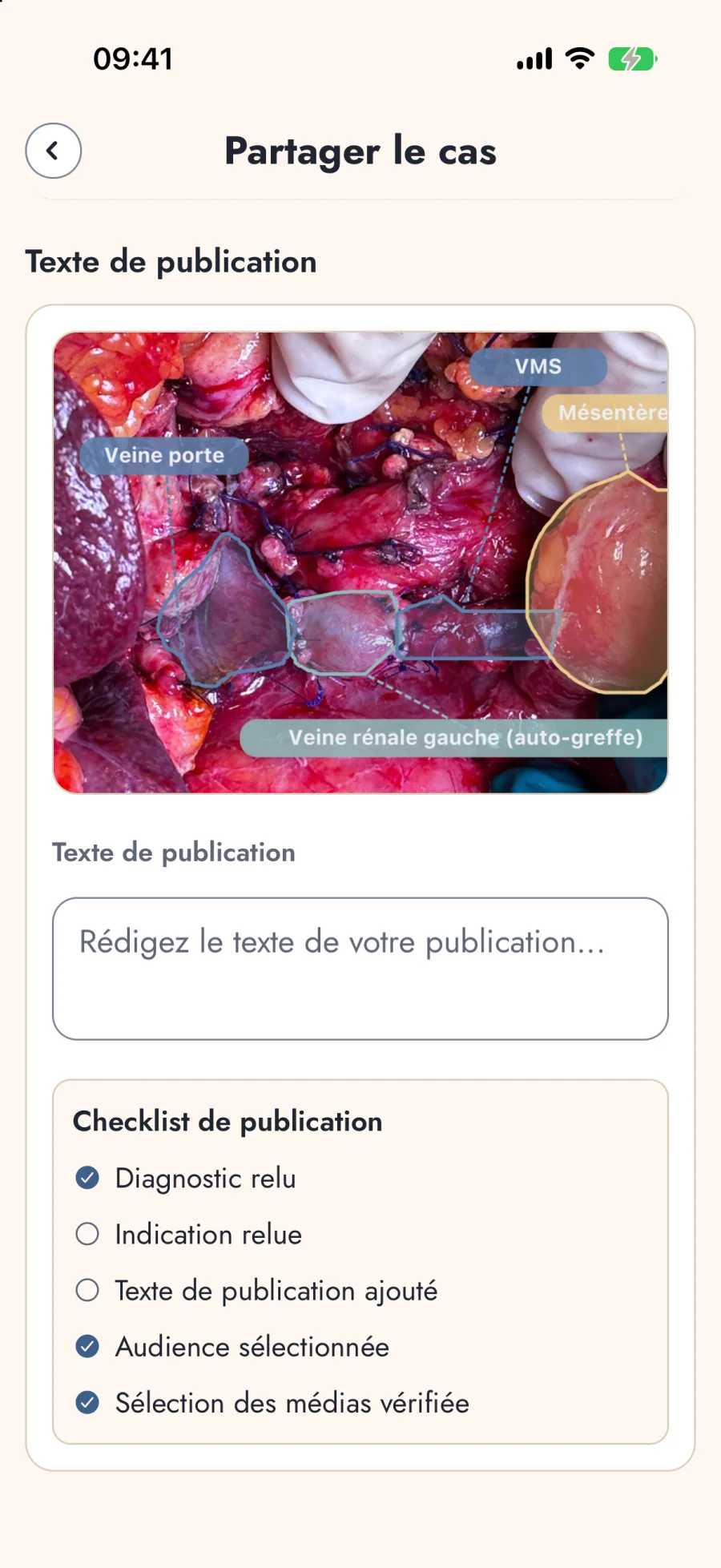
Add the case photos and name what you see: each structure gets its label, its outline and its color. (The photo shown comes from a real operation, with no identifying data.)
- Custom labels, undo, redo, zoom
- Export the annotated image to the phone's gallery
- A compressed copy of each photo is uploaded to our servers, unencrypted, for PDF exports and sharing: frame the operative field, with no face or label
Notes you can find again
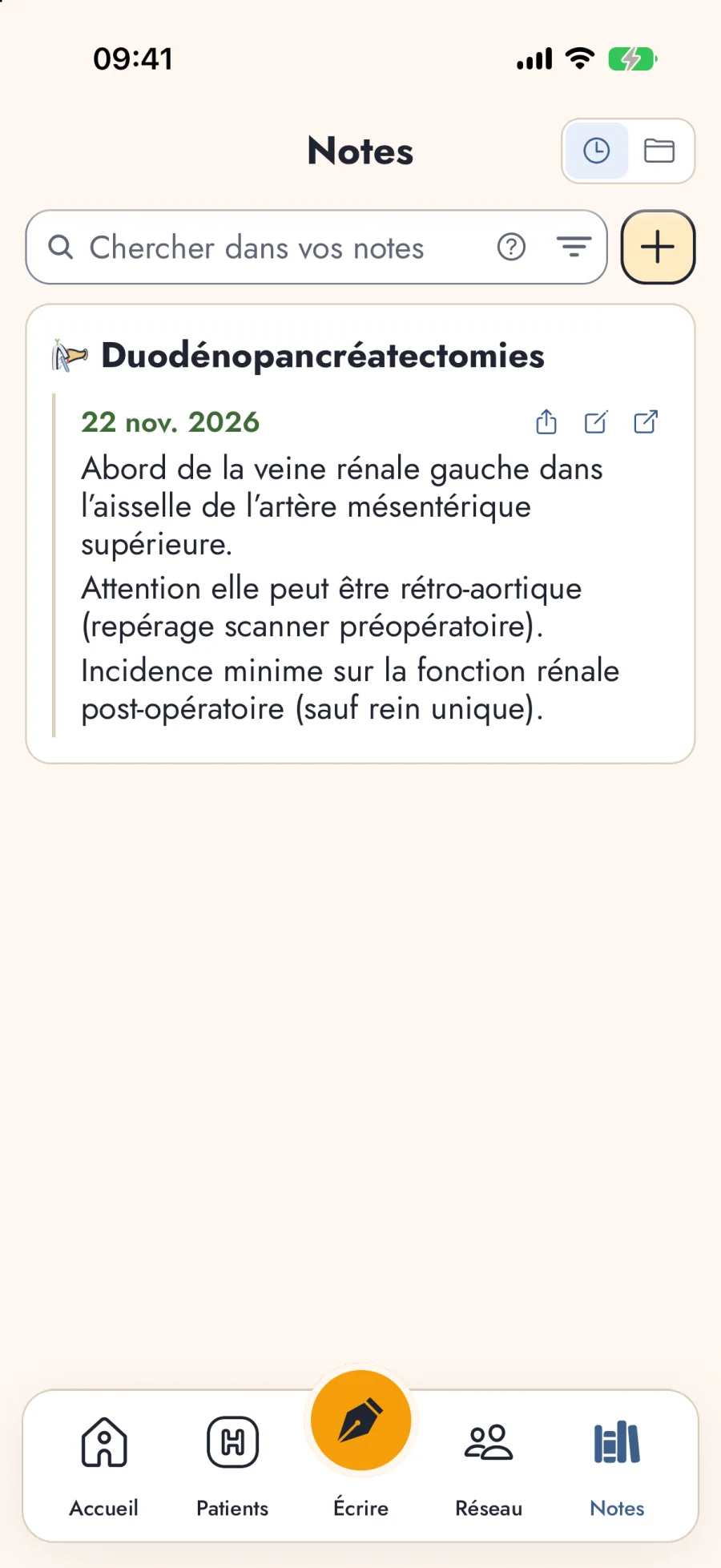
Each operation has its note: what you learned, the technique, the tips. The Notes page brings them together. (The note shown comes from a real operation, with no identifying data.)
- Categories, #hashtags, and one summary note per type of procedure (all your Whipples, for example)
- Search by procedure, date, role or exact phrase
- Formatted text, images and drawings
- Export to Word or Markdown
The patient logbook
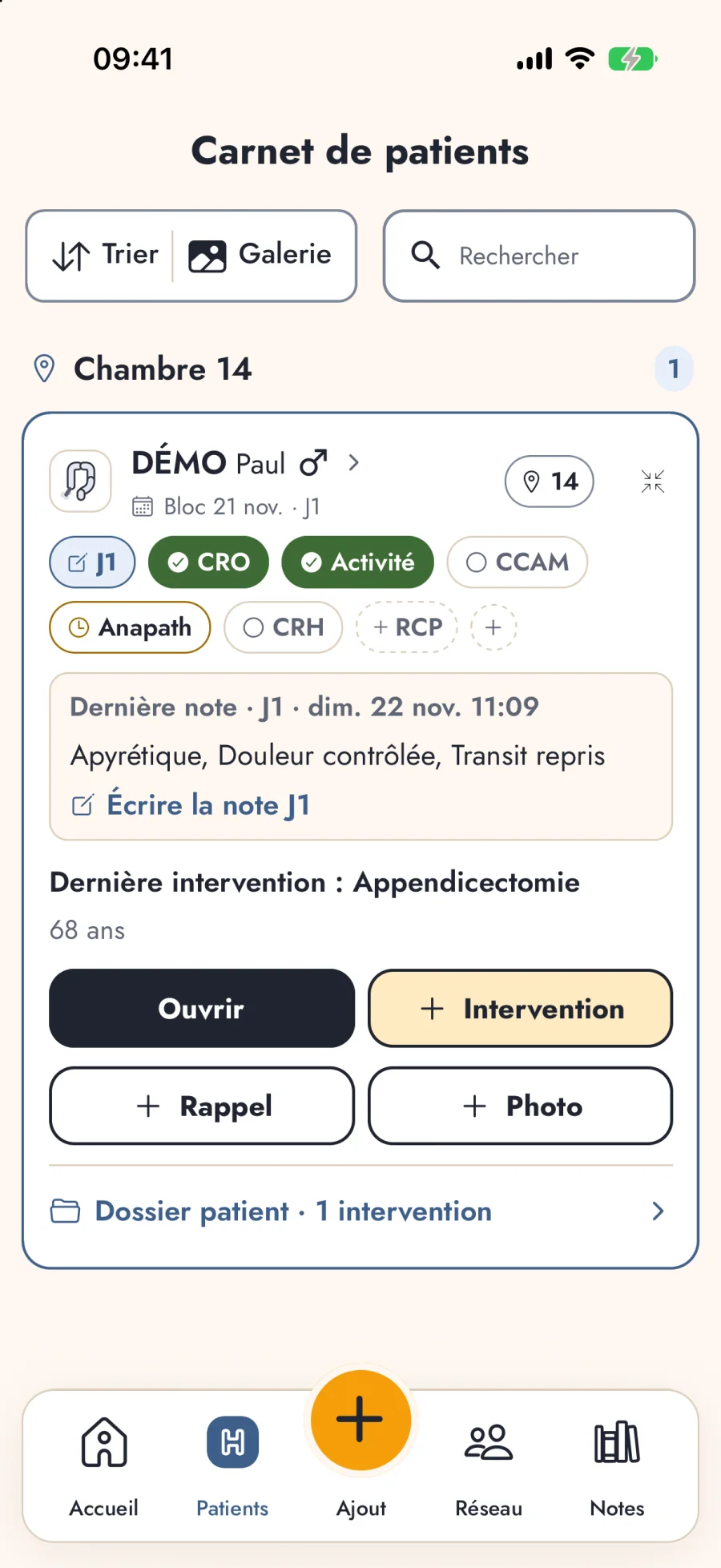
Your operated patients, whether still in hospital, discharged or day cases, with what is still to do for each.
- Boxes for operative report, activity coding, CCAM coding, pathology and discharge summary, and up to six of your own (MDT…)
- "Still to do": the patients with a box still open
- Follow-up notes D1, D2… with one-tap phrases, ready to copy into the discharge summary
- Discharge with one swipe, readmission if needed
Share and export
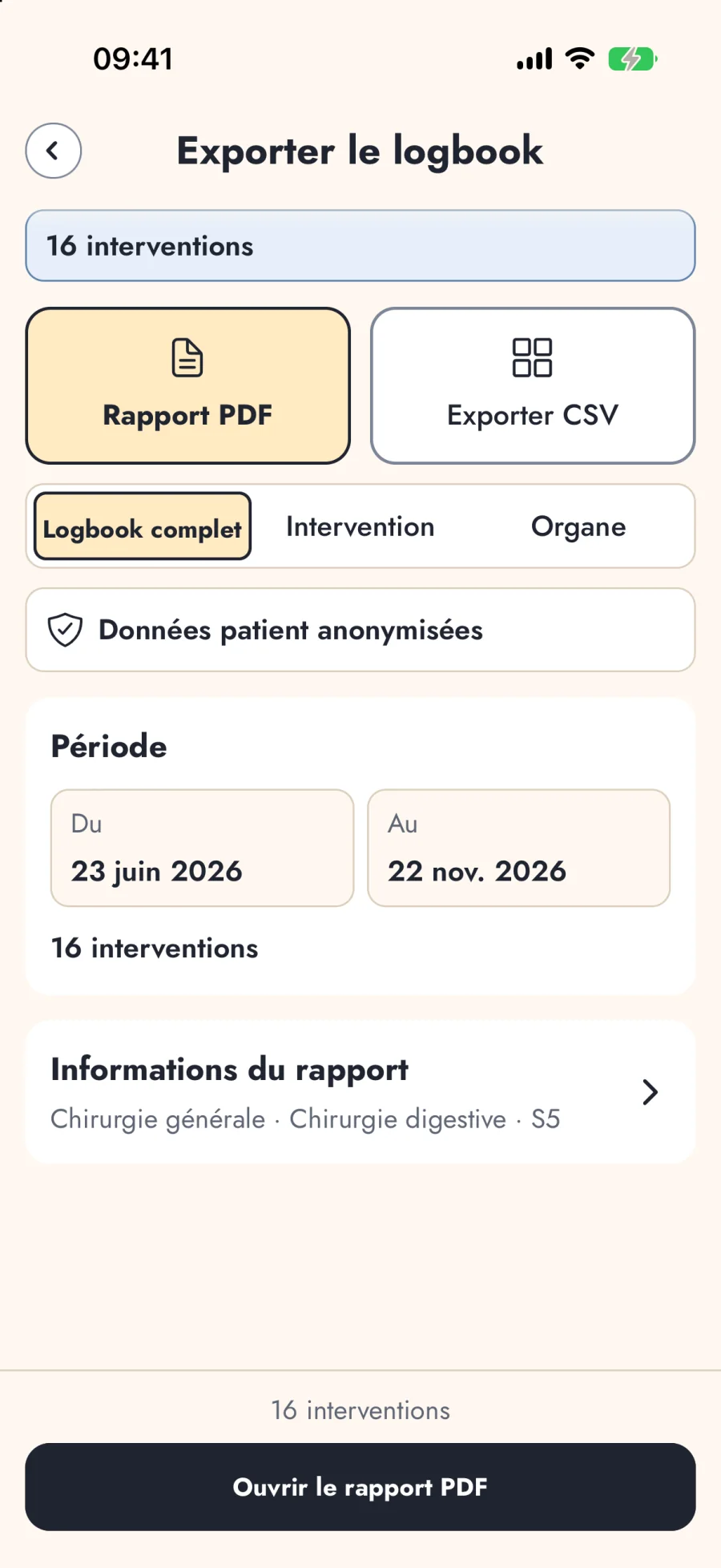
Show a case to colleagues on Network or to your department's group, or take your activity out as PDF or CSV.
- Network: a published case does not carry the patient's identity; reread the text and photos before publishing
- Department groups, tips, private messages
- PDF of the whole logbook, by procedure or by organ, over a period; PDF of one operation; CSV with the fields you choose
Resident or attending
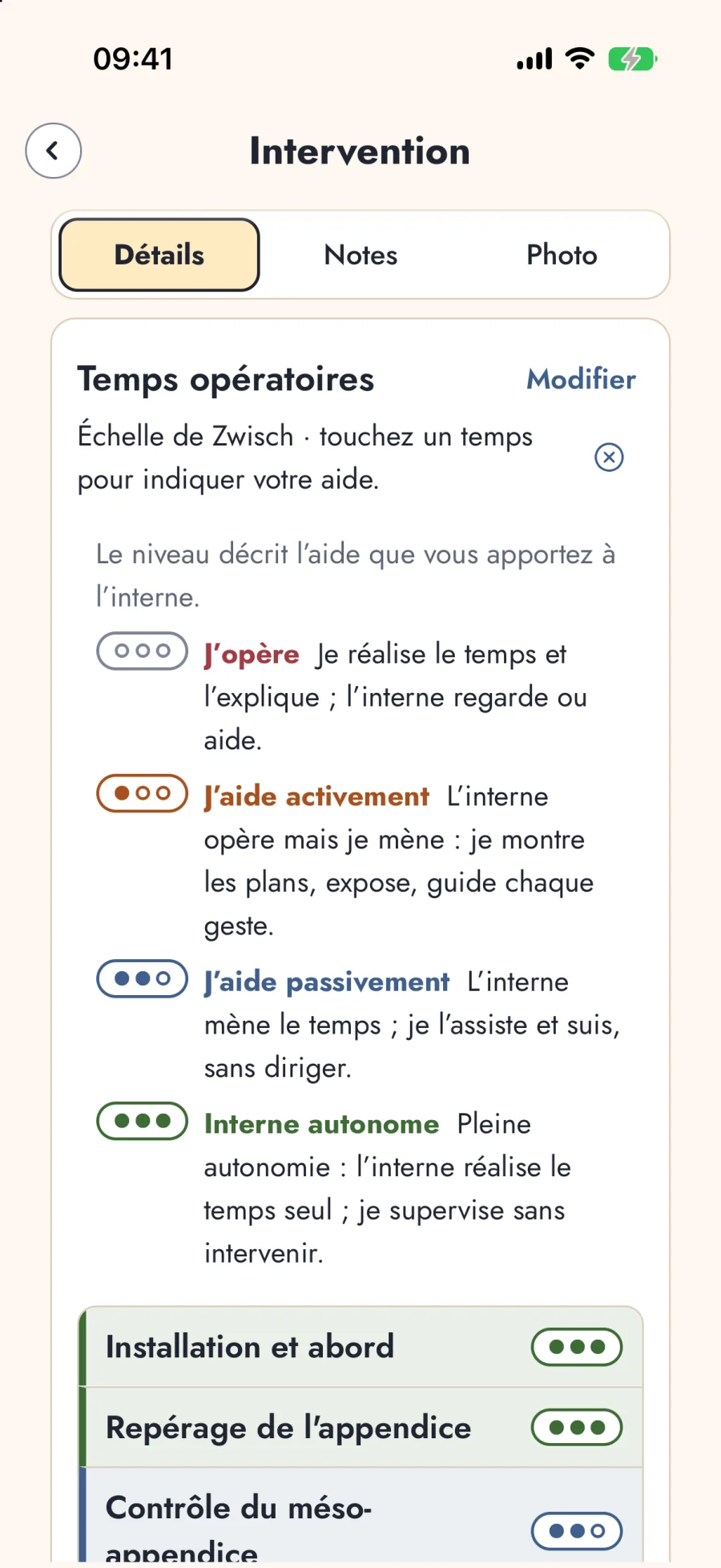
Senior mode keeps the same logbook, seen from the teaching surgeon's side. It is on by default for the rank "Surgeon or physician" and can be changed in the settings.
- Operative steps describe the help given to the resident: "I operate", "I actively help", "I passively help", "Resident autonomous"
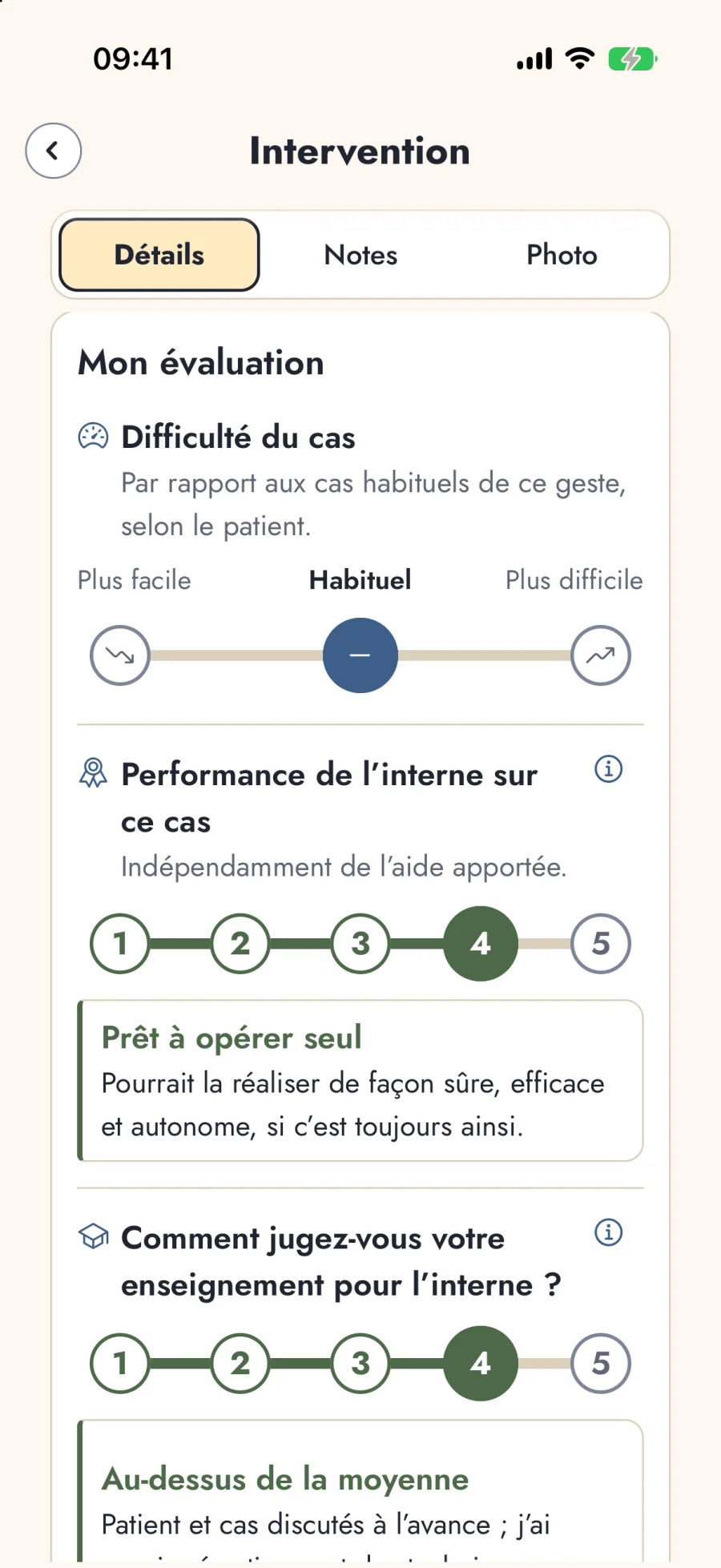
- The assessment covers the resident's performance and your teaching
- Inpatients come first on the home screen
- No resident? Standard mode is enough: OR time, patient logbook, operative report and CCAM boxes, photos, notes.
Every day
The rest of the app, in brief.
On call and to-do
A to-do card on the home screen ("12 CT 2pm"), saved on your phone only. On-call mode, switched on in the settings, lists the patients you saw and prepares the on-call handover, ready to copy.
Network
In beta, open to every account: shared cases, tips, department groups, private messages. Nothing is published without you; a published case does not carry the patient's identity, and photos are re-saved without their metadata.
Activity and surgical score
Time in the OR, number of operations by week, month, semester or year, and a score weighted by how demanding the procedures are, which compares you with no one.
Offline logging
In an OR without a network, patients, operations and follow-up boxes are kept on the phone and sent once you are back online.
Port and incision map
In the operation note, place 10 mm and 5 mm ports, the camera port and incisions on an abdomen diagram.
Catalog
More than 1,600 procedures, filtered by your specialty, your favorites, and procedures not on the list as custom entries.
The app in pictures
Demo screenshots, fictional patients. The annotated photo and its note come from a real operation, with no identifying data.
The timer runs during the operation
How it works
Create your account
Email and password, then your profile: specialty, institution and rank (surgeon, resident or fellow, student). The 24 words shown are the key that encrypts your patients' identity; write them down on paper: on a new phone, without them, no one, including us, can display your patients' names.
In the OR
Start the timer before the incision. When you stop it, the form opens with the date and duration: pick the procedure, complete it, save. Without a network, everything is kept and sent once you are back online.
Afterwards
Follow your patients in the patient logbook, find your notes, share a case on Network and export your activity whenever you need it.
On a computer
AlphaDocStrive also opens in the browser. This web version is in alpha: some features may not work yet.
- Sign in with a QR code: scan it with the app on your phone, then approve with Face ID or your fingerprint.
- With email and password, you enter limited mode: no patient identities, only the logbook, notes and settings.
- Photos are added from the phone.
What is encrypted, and what is not
Name, date of birth and patient ID are encrypted on your phone: we cannot read them. The rest (case contents, notes, photos) is stored in our database in France without this encryption: put nothing in it that identifies a patient.
- Patient identity encrypted on the phone. Name, date of birth and patient ID are encrypted (AES-256-GCM) before they are sent. The key is your 24 words; it stays in your phone's secure storage. We can neither read this data nor recover it.
- What is not encrypted. Case contents (indication, operative steps, assessments), notes, follow-up notes, follow-up boxes, Network posts and messages, and photos, a copy of which is kept on our servers. Do not write a patient's identity there.
- Database in France. The database is hosted in France (Paris region); access to data is controlled account by account.
- Offline logging. What you enter is kept on the phone and sent once the network is back.
- No advertising, no data sales. Your data is not used for advertising and is not sold. The app sends usage measurements (including your specialty and rank) to our provider Expo; the privacy policy gives the details.
- Account deletion. From the app: Settings › Account Settings › Delete Account. Your data, your photos and your account are erased; your Network posts and their photos remain, without your name.
Encrypted on your phone
- Name
- Date of birth
- Patient ID
Not encrypted
- Case contents
- Notes and follow-up notes
- Photos
- Network
Pricing
Free
no subscription, no advertising
Every feature of the app is free. The DOCSTRIVE study features are reserved for enrolled accounts, and the web version opened with email and password runs in limited mode.
DownloadThe DOCSTRIVE study
OptionalA study of residents' operative autonomy in general and digestive surgery, limited to the departments taking part. After an operation, the resident and the attending each rate the case, blind: neither ever sees the other's rating. Each has 72 hours.
- Accounts are enrolled one by one by the study team; other accounts see none of it.
- Nothing done in the study counts toward validating your semester.
- The study database receives a case number, never the patient's identity, photos or free text.
Frequently asked questions
Yes: free, with no subscription and no advertising. Only the DOCSTRIVE study features are reserved for enrolled accounts.
iPhone (App Store) and Android (Google Play), in French and English. The web version, in alpha, is at docstrive.com: sign in by scanning a QR code with the phone app; with email and password, it opens in limited mode, without patient identities. Photos are added from the phone.
Name, date of birth and patient ID are encrypted on your phone (AES-256-GCM) with a key only you hold, your 24 words: we can neither read nor recover them. The rest is not encrypted (case contents, notes, follow-up notes, follow-up boxes, Network posts, photos, a copy of which is kept on our servers): put nothing in it that identifies a patient. The database is hosted in France (Paris region).
As long as your phone keeps the key, nothing changes. On a new phone, after signing out or after reinstalling, the app asks for them: without them, names, dates of birth and patient IDs stay unreadable, for everyone, including us. Your operations, notes and statistics are kept.
Sign in: your operations and patients come back, and names appear once you enter your 24 words. Photos do not reappear in the annotator (the copy kept on our servers is used for PDF exports and sharing), and the to-do list and on-call mode stay on the old phone.
Yes for logging: patients, operations, follow-up boxes and reminders are saved offline and sent once the network is back. Recently viewed data and the catalog remain available.
The catalog holds more than 1,600 procedures, filtered by your specialty. It is most mature in general and digestive surgery, where every procedure comes with its operative steps. A procedure is missing? Enter it as a custom procedure.
Yes: post it on Network, in your department's group or publicly (a published case does not carry the patient's identity; reread the text and photos before publishing), or send the PDF of the operation. Sharing with a named attending exists only in the DOCSTRIVE study.
No: each logbook is personal. A resident can show you a case on Network, in the department group, or send you the PDF of an operation. Only accounts enrolled in the DOCSTRIVE study can share a case with a named attending, who then rates it in turn.
PDF of the whole logbook, one procedure or one organ, over the period you choose, with the option to anonymize patient data (free text and photos may still identify someone); PDF of a single operation; CSV with the fields you choose. Notes export to Word or Markdown.
No. DocStrive is your personal logbook: it does not write the operative report and does not export to an official university or residency program format. The "operative report" box in the patient logbook is only there so you do not forget to write it.
An optional study of residents' operative autonomy in general and digestive surgery. Accounts are enrolled one by one; if yours is not, you see none of it. Nothing done in the study counts toward validating your semester.
Yes. With the rank "Surgeon or physician", senior mode is on by default: operative steps describe the help you give the resident, the assessment covers their performance and your teaching, and inpatients come first on the home screen. The mode can be changed in the settings.
DocStrive was designed by surgeons. It is published by Docstrive SAS, in Paris.
Download the app, create your account, write your 24 words down on paper, then log your next operation. Or try the web version (alpha) at docstrive.com.
Start with your next operation
DocStrive on iPhone or Android, or in your browser with the web version.
Free, no advertising